

Small Business Cybersecurity Checklist for 2026
What should a small business cybersecurity plan cover?
A practical plan covers the accounts people use, the devices and email they depend on, software updates, backups, staff procedures, and recovery. The goal is not to make a small business impossible to attack. It is to reduce avoidable exposure and make the next decision clear when something goes wrong.
The National Institute of Standards and Technology Small Business Cybersecurity Corner and the Federal Trade Commission’s small-business guidance are useful starting points. The rural context may affect who owns the work and how quickly outside help is available, but the basic controls still apply.
1. Phishing and social engineering
Phishing uses a message, website, phone call, or other interaction to persuade someone to reveal information or take an unsafe action. A convincing message may appear to come from a vendor, coworker, customer, or bank. CISA’s phishing guidance recommends slowing down, checking the request through a trusted channel, and reporting suspicious messages.
Make verification part of the workflow for sensitive requests. A payment-account change, urgent gift-card request, password reset, or unusual file-sharing invitation deserves a second check. Link this article to how to spot a phishing email for examples your team can use.
2. Weak passwords and missing MFA
Each important account should have a unique password or passphrase, and multi-factor authentication should be enabled wherever it is available. A password manager can help people avoid reusing credentials. Passkeys may be another option for supported services.
The FTC’s small-business cybersecurity guidance includes access-control practices such as strong authentication and limiting access to the information each person needs. For a more detailed explanation, see our guide to passwords, passphrases, and passkeys.
3. Unpatched software and exposed services
Software and devices need an owner who knows what is installed, which updates matter, and when maintenance can happen. Start with an inventory of computers, phones, network equipment, cloud services, remote-access tools, and administrator accounts.
Keep automatic updates enabled when they are appropriate, remove software that is no longer needed, and ask vendors how security updates are handled. Do not leave remote access open simply because it is convenient. NIST’s small-business resources can help turn this into a repeatable maintenance process.
4. Weak or untested backups
A backup is useful only if the business can restore the information it needs. Identify critical files and systems, decide how much data the business could realistically recreate, and test a restore before an emergency.
Backups should be protected from the same event that affects the working systems. Depending on the business, that may involve offline or isolated copies, separate credentials, and more than one recovery location. CISA’s StopRansomware guidance covers backup and recovery planning. Our small-business data backup guide goes deeper on the questions to ask.
5. No written response plan
When people are under pressure, they need a short list of who to call and what to do first. Write down the person responsible for technology, the people who can approve a shutdown, important vendor contacts, the location of backups, and the steps for preserving evidence.
The first response may include isolating an affected device when it is safe to do so, stopping a suspected compromised account, recording what was observed, and contacting the right technical or incident-response support. The plan should also cover customer, legal, regulatory, and insurance notifications as applicable to the business.
A practical first month of improvements
Use a sequence that a small team can actually maintain:
- Week 1: List critical accounts, devices, systems, and owners. Turn on MFA for email and administrator accounts.
- Week 2: Review updates, remote access, former-user accounts, and password reuse. Remove access that is no longer needed.
- Week 3: Confirm backups exist and run a small restore test. Record what worked and what did not.
- Week 4: Write a one-page response plan and walk through a phishing or lost-device scenario with staff.
The checklist is only useful if someone owns the next review. Add a recurring calendar reminder and update the plan when systems or staff change.
Where to get help
If you do not know which systems to review first, Corespark’s IT and software consulting service can help map the environment and prioritize practical next steps. You can also begin with the technical risk assessment and use the results as a conversation starter.
Need a technology partner in the Yadkin Valley?
Corespark helps local small businesses in NC and VA with tech strategy, web development, and more.
Talk to Corespark →More from the Corespark Blog

PHP2Shell: What WordPress Site Owners Need to Know
PHP2Shell affects WordPress sites with unpatched PHP. Learn how Northwest NC and Southwest VA owners can check the PHP v...
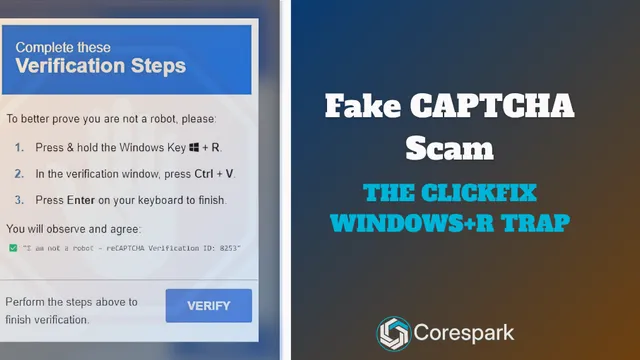
Fake CAPTCHA Scam: The ClickFix Windows+R Trap Explained
Fake CAPTCHA scams may tell you to press Windows+R, paste a command, and run it. Learn the ClickFix warning signs and wh...

Put Your Antique Shop on the Day-Trip Map
Help antique shoppers plan a stop with accurate hours, useful photos, clear categories, directions, and a website that r...