

Put Your Antique Shop on the Day-Trip Map
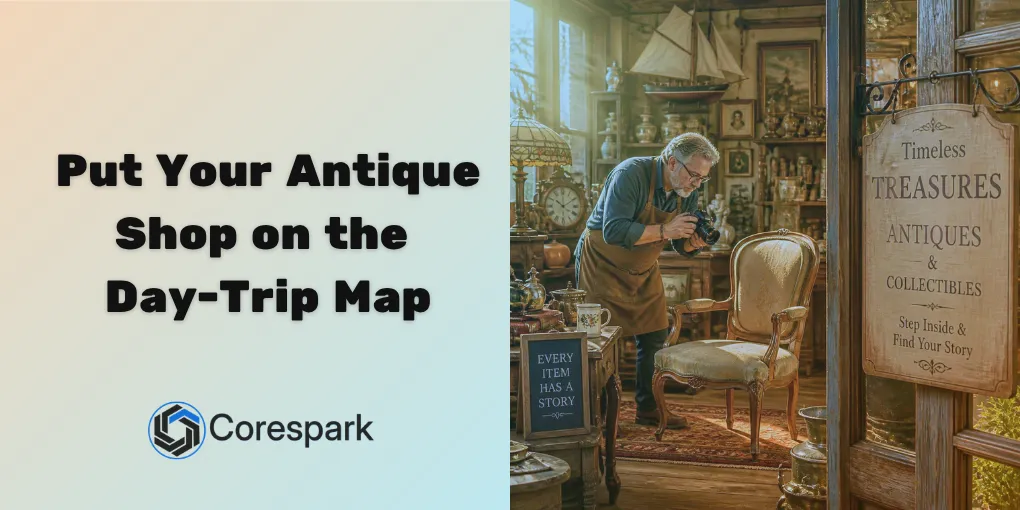
Antique shoppers often plan a route before they start driving. They look for shops that seem open, interesting, and worth adding to the day. Your inventory may be excellent, but a customer can still pass by if the online information does not make the stop easy to plan.
That matters for antique shops, malls, boutiques, and specialty retailers around Mount Airy, Fancy Gap, Galax, Independence, West Jefferson, and the surrounding region. The goal is not to photograph every object in the building. It is to give a shopper enough information to choose your stop.
Key Takeaways
- Keep hours, location, phone number, and holiday changes accurate everywhere.
- Show the categories and types of inventory that make the shop worth visiting.
- Use photos to communicate the experience without promising an item will still be in stock.
- Give multi-vendor malls a separate plan for booth, commission, and inventory tracking.
How do you make an antique shop easy to find?
Start with the business information that appears before someone reaches your website. Google’s Business Profile guidelines are a useful reference for representing a customer-facing shop accurately.
Check the profile for:
- The real shop name and primary category.
- Current hours, including holiday or seasonal changes.
- A phone number someone can answer.
- A complete address and accurate map pin.
- Recent exterior and interior photos.
- A website link that works on a phone.
- Information about parking, accessibility, or special entry details.
The profile should help a traveler answer one question quickly: can I stop here today, and will I know what kind of shop this is when I arrive?
What should the website show when inventory changes every day?
One-of-a-kind inventory makes exact online catalogs difficult. You do not need to promise a live list of every chair, piece of glassware, or vintage jacket. You do need to show the categories and character of the shop.
Use a mix of:
- Recent photos of the floor and displays.
- Category galleries for furniture, jewelry, glassware, clothing, collectibles, or local goods.
- Short updates for new arrivals, special events, or seasonal displays.
- A clear note that individual items may sell before a visitor arrives.
If a customer calls about a specific item, staff should know whether to hold it, describe it, or explain that it is no longer available. Set expectations instead of letting an old photo become a promise.
How should you organize photos for different shoppers?
A single mixed photo feed makes visitors work too hard. Someone looking for mid-century furniture wants a different first view than someone hunting for vintage clothing or antique tools.
Organize photos by the way people browse:
- By category, such as furniture, housewares, clothing, art, or collectibles.
- By room or booth when the shop experience is part of the appeal.
- By seasonal event or special collection.
- By vendor when the store has a strong multi-vendor identity.
Use simple captions when they add context. Describe a display, a material, a period, or a room without making claims you cannot verify. Add descriptive alt text to important images so the page still communicates what is shown to someone who cannot see it.
What trip-planning details help earn the stop?
The details that seem small to the owner may decide whether a traveler adds the shop to a route. Put them in one easy-to-find place:
- Regular and seasonal hours.
- Holiday closures and event dates.
- Address, map link, parking, and accessibility information.
- Whether pets, children, or large vehicles require special planning.
- Nearby shops or destinations when a local itinerary is helpful.
- The best way to ask about an item before driving.
Use the same information on the website, Google profile, social pages, and printed materials. A visitor should not have to solve a contradiction between a Facebook post and a map listing.
What changes for a multi-vendor antique mall?
An antique mall has a different technology problem from a single-owner shop. One sale may need to be divided among several vendors, a booth fee may be tracked separately, and an item may need to remain connected to the right vendor until it sells.
Before choosing a system, write down:
- How inventory enters the mall.
- How each item is labeled and assigned to a vendor.
- How sales, commissions, booth rent, returns, and adjustments are recorded.
- How vendors see their own activity.
- How the owner checks that the numbers match the floor.
A generic retail system may be enough for some shops. A multi-vendor operation may need a purpose-built tool or a careful configuration. The right answer depends on the mall’s size and process, not on the longest feature list.
How do you keep the online experience honest?
Assign one person to review the customer-facing information on a regular schedule. They do not need to photograph every item. They do need to catch closed hours, broken links, old event dates, and photos that no longer represent the shop.
For technical search support, Google’s LocalBusiness structured data guidance explains how a website can describe business details. Use it alongside accurate listings and useful content, not as a replacement for them.
When you are ready to improve the route from search to store visit, Corespark helps antique shops, boutiques, and specialty retailers connect their website and day-to-day technology. See our website support for antique shops, boutiques, and specialty retailers across NW NC and SW VA.
Need a technology partner in the Yadkin Valley?
Corespark helps local small businesses in NC and VA with tech strategy, web development, and more.
Talk to Corespark →More from the Corespark Blog

Fake CAPTCHA Scam: The ClickFix Windows+R Trap Explained
Fake CAPTCHA scams may tell you to press Windows+R, paste a command, and run it. Learn the ClickFix warning signs and wh...

The Photography Website That Helps Couples Say Yes
A photography website should help clients compare services, see the right work, understand the process, and take the nex...

Local SEO for Landscapers: Win More Quote Requests
Local SEO for landscapers starts with clear services, strong project photos, accurate business listings, and an easy pat...