

How to Spot a Phishing Email at Work
A phishing email is a fake message designed to steal your password, money, or data. One of the most reliable ways to spot one is to check whether the sender’s actual email address matches the company it claims to be from.
That check is a useful first filter, but a familiar address does not prove a message is safe. Treat the sender, link, request, and context as one set of clues.
Phishing works because it looks ordinary at first glance. The message may seem like it came from Microsoft, your bank, a shipping company, a vendor, or even one of your coworkers. The goal is simple: get you to click, reply, download, or panic fast enough that you stop thinking clearly.
Key Takeaways
- Check the real sender address and link destination before responding.
- Treat urgency, unexpected attachments, and payment requests as reasons to verify.
- Use a known phone number or website to confirm unusual requests.
- If you already entered credentials, change them and report the incident quickly.
What Is a Phishing Email (In Plain English)?
A phishing email is a fraudulent message that pretends to be legitimate so the sender can steal something valuable.
That might be:
- Your password
- Credit card information
- Banking access
- Customer data
- Login access to email or software
Sometimes the goal is direct theft. Sometimes the goal is a foothold that leads to something bigger later.
Why Small Businesses Are Targeted More Than Big Companies
Small businesses are attractive targets because attackers assume the defenses are lighter and the pace is faster.
When a business owner or office manager is handling quotes, invoices, scheduling, and customer communication all at once, a fake “urgent” message has a better chance of slipping through.
Attackers do not need to fool everyone. They only need to fool one person once.
The 7 Warning Signs in Any Phishing Email
Phishing emails change their wording all the time, but the warning signs stay remarkably consistent.
Warning Sign 1: The Sender’s Email Address Doesn’t Match the Company
This is the first thing to check.
A message may say it is from PayPal, Microsoft, UPS, or your bank, but the real sending address might be a random Gmail account, a misspelled domain, or something close enough to fool a quick glance.
If the display name says one thing and the underlying email says another, stop there.
Warning Sign 2: Urgent Language Designed to Make You Act Fast
Phishing thrives on panic.
Common examples:
- Your account will be closed today
- Immediate payment required
- Suspicious sign-in detected
- Invoice overdue, click now
Urgency is not proof of fraud by itself, but when urgency is the main tactic, caution should go up immediately.
Warning Sign 3: The Link Goes Somewhere Unexpected
Links are one of the most common attack paths.
Before clicking, hover over the link and look at where it actually leads. If the message claims to be from Microsoft but the link goes to a strange unrelated domain, that is a major red flag.
On mobile, this is harder to inspect, which is one reason phishing can be so effective there.
Warning Sign 4: They’re Asking for Passwords, Payment, or Personal Info
Any email asking you to send a password, verify a payment method through a strange link, or provide sensitive information by reply should be treated with suspicion.
Real companies do not usually handle sensitive verification that way, and serious requests should be confirmed through a known channel.
Warning Sign 5: Poor Grammar or Slightly Off Branding
Phishing emails are getting better, especially with AI tools helping attackers polish their wording. But many still contain awkward phrasing, formatting issues, mismatched logos, or branding that feels just a little off.
The key phrase there is “a little off.” Trust that instinct.
Warning Sign 6: Unexpected Attachments
If you were not expecting a document, invoice, ZIP file, or attachment from that person, slow down.
Attachments can install malware, trigger credential theft, or push you into a fake login flow.
Unexpected attachments from “vendors” or “shared document” alerts deserve extra scrutiny.
Warning Sign 7: It’s “Too Good to Be True”
Free gift cards, refund notices you were not expecting, surprise payments, fake job offers, and unbelievable discounts are all common bait.
If the message is promising something unusually good or unusually alarming, assume it is trying to manipulate you.
What to Do When You’re Not Sure
Do not click right away.
Instead:
- Check the sender address carefully
- Hover over the links
- Contact the company or coworker through a known phone number or trusted website
- Ask someone else to look at it if it still feels uncertain
A short pause gives you time to verify the request before it becomes an account or payment problem.
What to Do If You Already Clicked
If you clicked but did not enter anything, report it immediately and run your security checks.
If you entered a password, change it right away, especially if that password was reused anywhere else. If payment details or financial accounts were involved, contact the bank or provider quickly.
If a company device may have been exposed, treat it like a security incident, not a minor mistake.
This is exactly why we keep telling small businesses that “too small to hack” is a dangerous myth. We explored that more fully in ransomware targets SMBs: why ‘too small to hack’ is a dangerous myth and in our breakdown of top security threats for rural SMBs in 2026.
Three Things Your Business Can Set Up This Week to Reduce Risk
You do not need an enterprise budget to lower your risk.
Start with:
- Multi-factor authentication on important accounts
- Basic staff awareness about sender addresses and suspicious links
- A clear habit of verifying odd requests through a second channel
Those steps reduce common exposure, especially when the team practices them before an urgent request arrives.
The CISA phishing guidance is a useful official reference for individual and organizational awareness.
If you want outside eyes on the weak points in your current setup, our cybersecurity consulting starts with a practical Technical Risk Assessment.
Need a technology partner in the Yadkin Valley?
Corespark helps local small businesses in NC and VA with tech strategy, web development, and more.
Talk to Corespark →More from the Corespark Blog

PHP2Shell: What WordPress Site Owners Need to Know
PHP2Shell affects WordPress sites with unpatched PHP. Learn how Northwest NC and Southwest VA owners can check the PHP v...
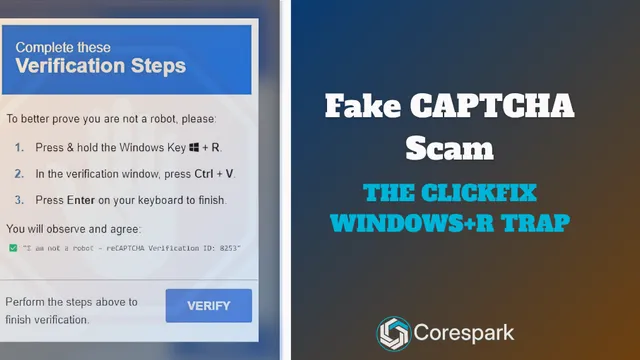
Fake CAPTCHA Scam: The ClickFix Windows+R Trap Explained
Fake CAPTCHA scams may tell you to press Windows+R, paste a command, and run it. Learn the ClickFix warning signs and wh...

Put Your Antique Shop on the Day-Trip Map
Help antique shoppers plan a stop with accurate hours, useful photos, clear categories, directions, and a website that r...