

Passwords, Passphrases, and Passkeys: A Small Business Guide
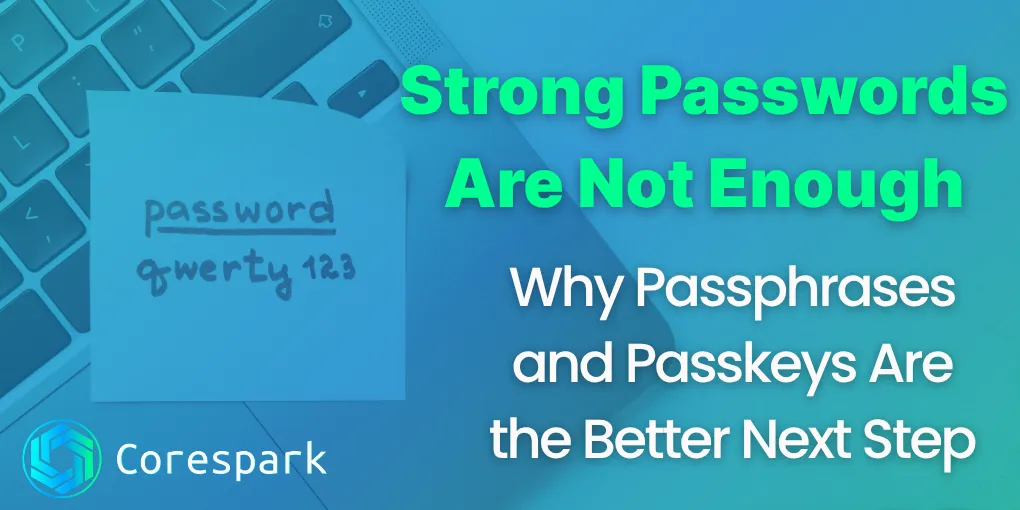
Strong passwords still matter, but they are no longer the whole answer. A better direction for most people is to move from hard-to-remember passwords to long passphrases, then use passkeys where websites and apps support them.
That is the short version.
The problem is not that people are lazy. The problem is that the old way of handling logins asks too much from human memory. We are expected to create dozens of unique passwords, make them all complicated, remember which one belongs where, and somehow never reuse them. That system was always shaky. Now it is simply showing its age.
For small business owners and average internet users, the smarter approach is to make logins stronger and simpler at the same time.
Key Takeaways
- Use a unique password or passphrase for every account.
- Let a password manager generate and store passwords where practical.
- Use passkeys on important services that support them.
- Pair better logins with phishing awareness, recovery planning, and multi-factor authentication.
The CISA Secure Our World guidance is a useful public reference for strong passwords and password managers. Product support for passkeys changes over time, so check the account’s current sign-in options.
Why Passwords Keep Failing
Passwords fail for predictable reasons.
People reuse them. They pick short ones. They make tiny variations on the same favorite password. They store them in notes, spreadsheets, or email drafts. Then a breach happens somewhere, and attackers start trying those same passwords on other sites.
This is one reason phishing still works so well. If someone can trick you into typing your password into the wrong place, the strength of the password matters less than you hoped. That connects directly to the habits we talked about in how to spot a phishing email.
The weakness is not always the person. Often it is the system around the person.
What Makes a Password Weak
A weak password usually has one or more of these problems:
- It is short
- It uses familiar words or names
- It follows a predictable pattern
- It gets reused across accounts
- It has already appeared in a previous breach
Many people still assume that adding an exclamation point or changing an “a” to an ”@” makes a password strong. That used to sound clever. Today it is a pattern attackers already expect.
The bigger goal is unpredictability and uniqueness.
Why Passphrases Are Better
A passphrase is usually a longer string made from several words. Done well, it is both harder to crack and easier to remember than the old style of compact, messy password.
For example, a random phrase built from unrelated words is generally stronger than a short password built from one word plus a few symbols.
That is good news for normal people because it means stronger security does not always require something more annoying. In many cases, it means something more readable.
The key is that the words should not form a common quote, song lyric, business name, family phrase, or anything easy to guess. Randomness still matters.
How to Create a Strong Passphrase You Can Actually Remember
The safest approach is to use a password manager to generate and store credentials for you. But when you do need something memorable, a passphrase is often the best middle ground.
A strong passphrase should be:
- Long
- Uncommon
- Made from unrelated words
- Unique to that account
Think less in terms of “complicated” and more in terms of “long and not obvious.”
The wrong approach is taking something meaningful to you and making tiny edits.
The better approach is choosing words that do not belong together, then keeping the passphrase unique to that one login.
Where Password Managers Fit In
If you run a business or simply have too many accounts to manage safely in your head, a password manager is one of the highest-value security upgrades you can make.
A password manager helps by:
- Generating long unique passwords
- Remembering them for you
- Reducing password reuse
- Making shared access safer when used correctly
This matters even if passkeys become more common. We are in a transition period. Passwords still exist everywhere, and most people need a sane way to manage them now.
For many small businesses, the real win is operational. A password manager reduces chaos. It helps the team stop relying on one person’s memory, one sticky note, or one shared spreadsheet that becomes a liability later.
What Passkeys Are in Plain English
A passkey is a newer way to sign in without typing a traditional password.
Instead of remembering a secret and entering it on a website, your device proves that you are really you. It usually does that with the same unlock method you already use on the device, such as your fingerprint, face, or PIN.
Behind the scenes, passkeys are built to be more resistant to phishing than ordinary passwords. That is a big part of why major platforms are pushing them forward.
The user experience is simpler too. You click sign in, confirm with your device, and move on.
How Passkeys Are Different from Passwords
The biggest practical difference is this: with a password, you type a secret into a website. With a passkey, your device handles the proof for you.
That changes a lot.
It means:
- There is no password to remember for that account
- There is nothing obvious to type into a fake login page
- The sign-in process is usually faster
Passkeys do not solve every security problem in the world, but they do remove a very common weak point.
When to Use Passphrases Versus Passkeys
Right now, most people need both.
Use passkeys wherever your important accounts support them and where the setup fits your devices and workflow.
Use strong unique passwords or passphrases for everything else, ideally stored in a password manager.
That is the practical model for 2026. Do not wait for the internet to become fully passkey-only. Improve the accounts you can improve today.
What This Means for Small Businesses
For a small business, weak login habits are not just a personal inconvenience. They are an operations problem.
One reused password can expose:
- Email accounts
- Shared drives
- Accounting tools
- Customer data
- Website access
- Vendor portals
That is why login hygiene belongs in the same conversation as backup, phishing awareness, and device security. We cover the recovery side of that in our small business data backup guide.
The strongest move for a small business is not perfection. It is reducing the obvious ways things go wrong.
Three Steps to Improve Your Logins This Week
If you want a practical starting point, do these three things first:
- Change your most important reused passwords
- Start using a password manager for new and updated logins
- Turn on passkeys anywhere your core accounts support them
If you do only that, you are already ahead of where many people and many businesses still are.
The Real Goal Is Less Fragile Security
The point of better login security is not to impress anyone. It is to stop your access from depending on bad memory, recycled passwords, and luck.
Passphrases are a better bridge than the old password habits most people grew up with. Passkeys are an even better option when available.
The smart move is not to argue about which one is perfect. The smart move is to start reducing avoidable risk account by account.
If you want help reviewing weak points in your business logins, account access, and recovery setup, our security consulting starts with a practical Technical Risk Assessment.
Need a technology partner in the Yadkin Valley?
Corespark helps local small businesses in NC and VA with tech strategy, web development, and more.
Talk to Corespark →More from the Corespark Blog
PHP2Shell: What WordPress Site Owners Need to Know
PHP2Shell affects WordPress sites with unpatched PHP. Learn how Northwest NC and Southwest VA owners can check the PHP v...
Fake CAPTCHA Scam: The ClickFix Windows+R Trap Explained
Fake CAPTCHA scams may tell you to press Windows+R, paste a command, and run it. Learn the ClickFix warning signs and wh...
Put Your Antique Shop on the Day-Trip Map
Help antique shoppers plan a stop with accurate hours, useful photos, clear categories, directions, and a website that r...