

Technology Checklist for Yadkin Valley Wineries
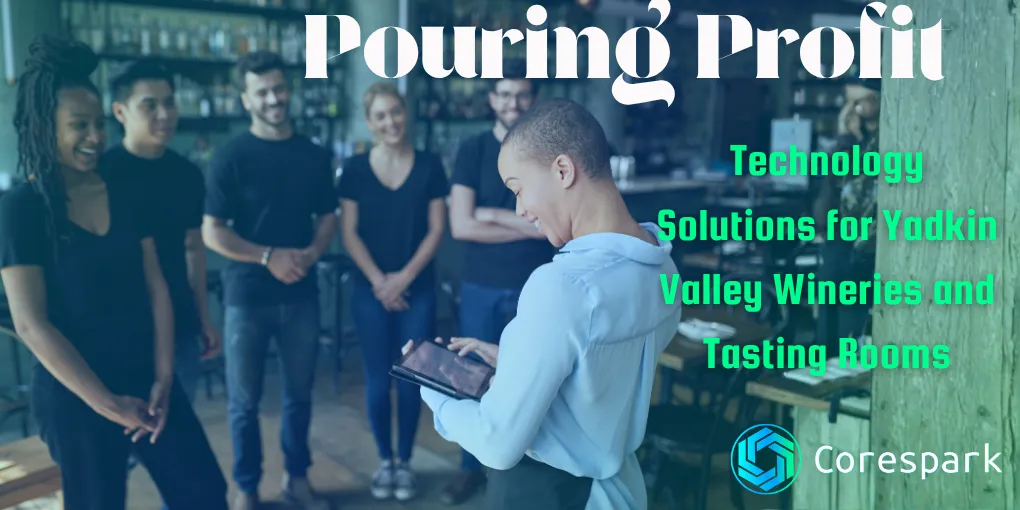
Winery technology should make the guest journey easier to manage from first search to final follow-up. For a Yadkin Valley tasting room, start with accurate public information, simple reservations, a point-of-sale process that matches the room, and clear ownership of event and wine-club communication.
Key Takeaways
- Put hours, directions, reservations, events, and accessibility information where visitors can find them on a phone.
- Choose booking and point-of-sale tools around the tasting-room workflow, not the feature list.
- Treat wine-club and event communication as a handoff that needs an owner.
- Review alcohol-sales rules with the appropriate state and federal authorities before enabling online checkout.
What should a winery website make easy?
The first screen should help a visitor answer a practical question: Can I visit, when should I come, and what should I expect? Keep current hours, holiday changes, directions, parking, reservations, event details, food options, and accessibility information easy to find.
The website and Google Business Profile should agree. Give one person ownership of updates and use a short review checklist before a holiday, release, or special event. A polished page with last season’s hours is still a poor guest experience.
For the technical side, compare the workflow with our guide to choosing a website specialist or marketing agency. The best build is the one staff can keep accurate during a busy season.
How should online reservations work?
A reservation system should show availability honestly, collect the information staff need, and give the guest clear arrival instructions. The system may be a wine-specific platform or a simpler appointment tool. The choice depends on capacity, private events, ticketing, deposits, cancellations, and existing point-of-sale or customer systems.
Map the process before comparing products:
- A guest finds the experience and sees the date, time, cost, and requirements.
- The booking records capacity and any useful guest information.
- The guest receives confirmation, directions, parking, and cancellation details.
- Staff can see the same schedule without copying it into another calendar.
- Changes and exceptions have a clear owner.
If the workflow requires staff to retype every booking, the tool may be creating work instead of removing it.
What should a tasting-room point-of-sale system connect?
The point-of-sale system should match the way the tasting room actually sells. A visit may involve a tasting, bottles, merchandise, an event, or a wine-club enrollment. Make sure the team can record those transactions without creating duplicate customer or inventory records.
Before switching systems, list the reports the business truly uses. That might include inventory by product, sales by channel, tax information, club activity, and event totals. Test a normal transaction, a refund, a sold-out product, and a payment or network interruption before the busy season.
The right system is the one staff can operate accurately. A platform with more features is not automatically a better fit.
How can a wine club and event workflow stay personal?
Automation should handle predictable reminders while staff retain control of relationship-sensitive conversations. A useful workflow can confirm a booking, send arrival information, notify a member about a shipment, or flag an expired payment method for review.
Write down what is automatic and what requires a person. Also decide where the customer record lives, who can change it, and how a guest can stop receiving messages. Our guide to small-business workflow automation covers the same trigger, review, and exception pattern.
What should a winery review before selling alcohol online?
Online alcohol sales add age, shipping, delivery, tax, fulfillment, and licensing questions. The Alcohol and Tobacco Tax and Trade Bureau’s retail beverage alcohol guidance is a federal starting point, but it does not answer every state or local question.
Before publishing checkout, confirm the requirements that apply to the winery’s license, products, destination states, delivery model, and carrier. Document who verifies age, who handles exceptions, what happens when inventory changes, and how pickup or shipping information is communicated.
Clear design supports compliance. It does not replace it.
What should a winery technology roadmap look like?
Start with the handoff that creates the most repeated work or guest confusion. In the first month, document hours, reservations, event ownership, website access, and the current customer-data flow. Next, improve one system connection or one communication sequence. Before the next peak season, test a real event, a sold-out product, a cancellation, and a connectivity failure.
See our technology support for Yadkin Valley wineries and tasting rooms when you want help mapping the website, reservations, connected tools, hosting, and day-to-day technology behind the guest experience.
Tell us where the team feels the most friction. Book a free Diagnostic Call.
Need a technology partner in the Yadkin Valley?
Corespark helps local small businesses in NC and VA with tech strategy, web development, and more.
Talk to Corespark →More from the Corespark Blog

Fake CAPTCHA Scam: The ClickFix Windows+R Trap Explained
Fake CAPTCHA scams may tell you to press Windows+R, paste a command, and run it. Learn the ClickFix warning signs and wh...
Put Your Antique Shop on the Day-Trip Map
Help antique shoppers plan a stop with accurate hours, useful photos, clear categories, directions, and a website that r...

The Photography Website That Helps Couples Say Yes
A photography website should help clients compare services, see the right work, understand the process, and take the nex...