

WCAG 2.1 for Local Government and Healthcare Websites
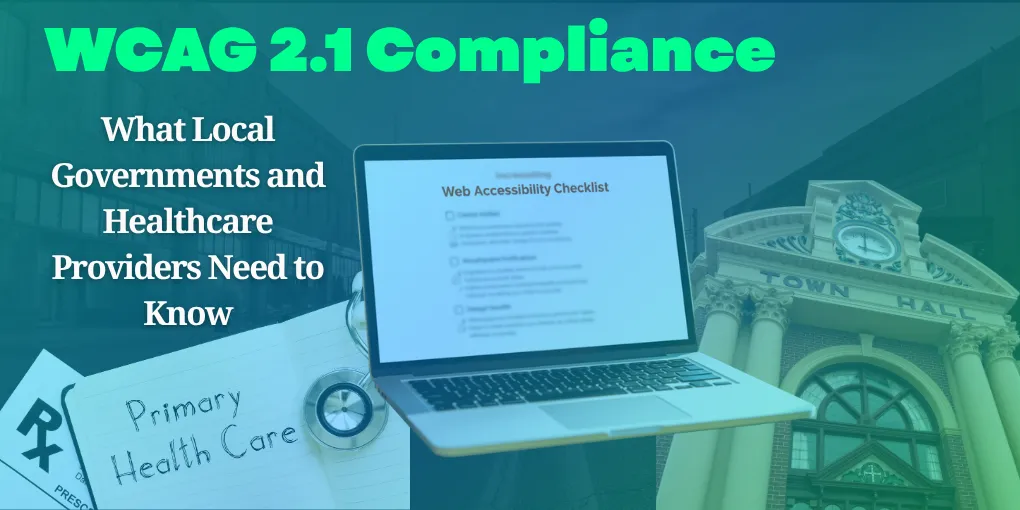
WCAG 2.1 is a technical standard for making websites and digital services more usable for people with disabilities. For a local government or healthcare organization, the practical work is to identify barriers, prioritize public-facing tasks, document progress, and confirm which legal, contractual, or funding requirements apply to that organization.
This article is not legal advice. Accessibility obligations vary by entity, jurisdiction, funding, service, and current rule. Use the W3C WCAG 2.1 recommendation as the technical reference and confirm legal questions with qualified counsel or the organization’s compliance lead.
Key Takeaways
- Accessibility is about whether people can complete real tasks, not whether a scanner produces a clean score.
- WCAG 2.1 organizes guidance around perceivable, operable, understandable, and robust content.
- Start with forms, navigation, documents, appointment tools, public notices, and other high-use services.
- Automated testing is useful, but keyboard, screen-reader, zoom, and human review are still necessary.
What is WCAG 2.1?
The Web Content Accessibility Guidelines are recommendations from the World Wide Web Consortium’s Web Accessibility Initiative. WCAG 2.1 uses four principles, often shortened to POUR: content should be perceivable, operable, understandable, and robust.
The guidelines include three conformance levels. Level A covers essential requirements, Level AA adds a broader set of practical barriers, and Level AAA is more demanding and is not generally the single target for every website. The correct target depends on the rule, contract, policy, or service requirement that applies.
WCAG describes technology behavior. It does not by itself decide whether a particular organization is legally compliant.
Why does accessibility matter for government and healthcare?
People use public websites to pay bills, apply for permits, read emergency notices, request records, find meeting information, schedule appointments, access portals, and understand care options. When those tasks fail, the person may have no practical alternative except calling an office or asking someone else to act for them.
The Department of Justice guidance on web accessibility and the ADA explains how accessibility affects state and local governments and businesses open to the public. Healthcare organizations should also review the requirements that apply to their entity, including disability-discrimination obligations and any federal funding or program rules.
Do not publish a deadline or promise compliance based on a general article. Rules and implementation timelines can change, and the covered entity needs an organization-specific answer.
Which website tasks should be tested first?
Start with the tasks that matter most to residents, patients, and staff. Review the public path, not only the homepage.
For local government, test:
- Permit, license, registration, and application forms
- Utility, tax, fee, and fine payment paths
- Meeting agendas, minutes, notices, and emergency information
- Public-records requests and document downloads
- Employment and recruitment pages
For healthcare, test:
- Appointment requests and scheduling tools
- Patient portal login and navigation
- Insurance, billing, location, and contact information
- Telehealth links and instructions
- Patient education, prescription, and communication pages
The right starting point is the task that creates the greatest barrier or affects the most people, not necessarily the page with the most errors.
What does an accessible website need to do?
An accessible website should provide information in more than one usable way. A person should be able to navigate with a keyboard, understand focus location, enlarge content, use a screen reader, distinguish important controls, and complete forms without guessing what went wrong.
Common issues include:
- Images that have no useful alternative text
- Video or audio without captions or transcripts
- Forms with unclear labels, instructions, or error messages
- Buttons and menus that cannot be reached or operated by keyboard
- Text and controls with insufficient contrast
- Headings and landmarks that do not describe the page structure
- PDFs that are not tagged or readable with assistive technology
- Time limits that give users no reasonable way to continue
The fix is not always a redesign. A well-structured page may need content or code changes. A legacy form system, document workflow, or third-party portal may require a larger project or a replacement.
Can an automated accessibility scan prove compliance?
No. Automated scanners can find patterns such as missing labels, some contrast issues, and certain structural errors. They cannot reliably judge whether alternative text is meaningful, whether a workflow makes sense, or whether a screen-reader user can complete the task.
Use a layered review:
- Scan representative pages and record the tool, date, and scope.
- Navigate the same pages with a keyboard only.
- Test zoom, text spacing, focus, headings, forms, and error recovery.
- Use a screen reader to test the highest-priority tasks.
- Ask people with disabilities to review the service when possible.
Treat a scanner score as evidence about the tested sample, not as a certificate for the entire site.
How should an organization build a remediation plan?
An actionable plan connects each issue to a user task, an owner, a priority, and a verification step. Fix barriers in forms, navigation, patient or resident services, and emergency information before spending time on low-impact cosmetic issues.
For each item, record:
- The URL or component affected
- The user impact and the relevant WCAG success criterion
- The temporary workaround, if one exists
- The person responsible for the fix
- The target date and dependency
- How the team will retest the result
Publish an accessibility statement or contact path that gives users a way to report a barrier. Route those reports to someone who can respond, not to an inbox nobody monitors.
What about PDFs and third-party services?
Documents, appointment systems, payment tools, video platforms, maps, and portals are part of the experience when the website sends people there to complete a task. A compliant homepage cannot compensate for an inaccessible application form or patient portal.
Inventory the third parties, review their accessibility information and contracts, test the actual workflow, and make a plan for alternatives when a vendor cannot meet the needed standard. Contract language should assign responsibility clearly, but the public organization or practice still needs to understand the user experience.
Healthcare organizations can also review the HHS Section 504 resources and their own funding and program obligations. Local governments should confirm current ADA Title II requirements with counsel or the relevant federal guidance.
What should a website team do this month?
Choose one high-use task and test it end to end. Record the barriers, fix the highest-impact issues, and retest with the same tools and methods. Then create a six-month queue for the next services, documents, and vendor workflows.
Accessibility should be part of the content and development process going forward. Add checks to new page reviews, train staff who publish documents, and keep account and vendor ownership clear. If the existing platform makes basic accessibility difficult, compare remediation with a maintainable rebuild.
If you need help mapping the technical issues, book a practical website review. We can help identify what the current site can fix, what needs a different tool, and what should be reviewed by legal or compliance professionals.
Sources
- W3C, Web Content Accessibility Guidelines (WCAG) 2.1, retrieved 2026-07-26.
- U.S. Department of Justice, Guidance on Web Accessibility and the ADA, retrieved 2026-07-26.
- U.S. Department of Health and Human Services, Section 504, retrieved 2026-07-26.
Need a technology partner in the Yadkin Valley?
Corespark helps local small businesses in NC and VA with tech strategy, web development, and more.
Talk to Corespark →More from the Corespark Blog

Event Venue Website Buyer’s Guide: What to Show Before the Tour
A buyer’s guide for choosing or improving an event venue website so couples and planners can evaluate spaces, dates, pac...
Why Corespark Rebranded: Practical Technology at a Fair Price
Why Corespark refreshed its brand around clear communication, practical technology, accessibility, and high-quality work...
HIPAA and Small-Practice Websites: Forms, Email, and Risk
A practical guide to HIPAA considerations for small-practice websites, contact forms, appointment requests, email, vendo...